Medical card
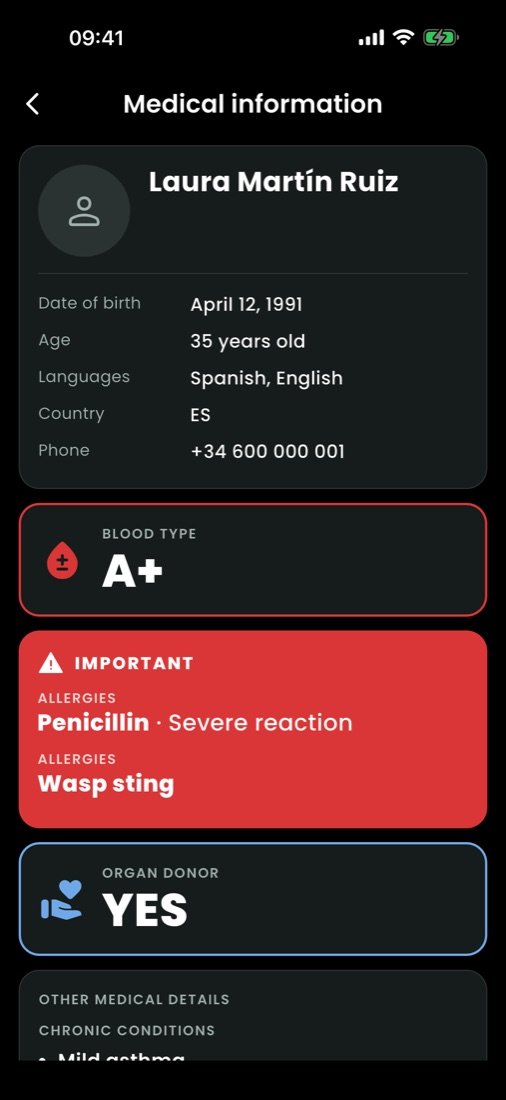
Blood type, allergies, medication, ongoing pregnancy and organ donor status, with an emergency view for medics. Exportable as PDF.
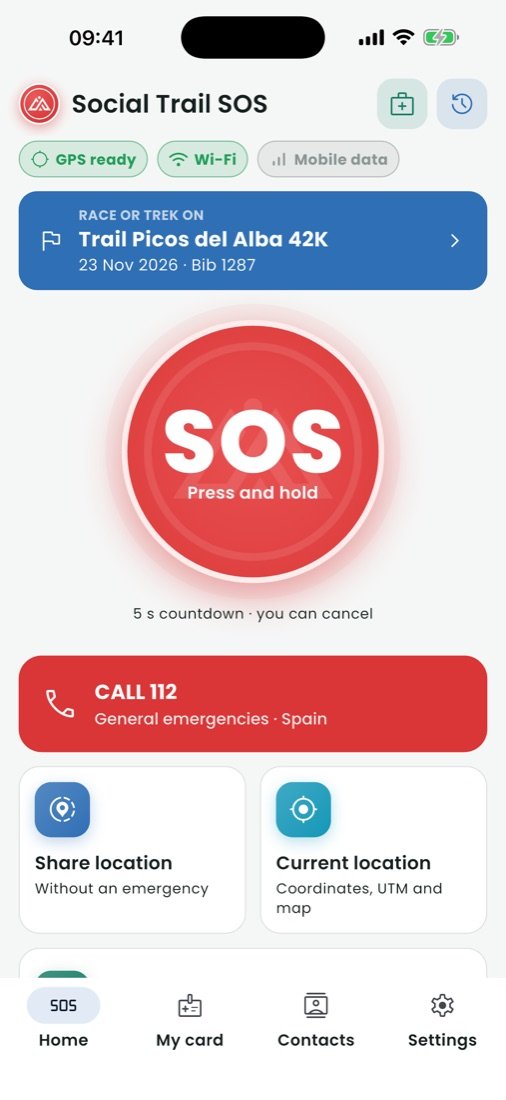
Ask for help in seconds, keep your medical card at hand and share your exact position with the people you choose.


Free for iPhone and Android · No ads · No account
Three steps, and you always have the final say. Nothing is sent or called behind your back.
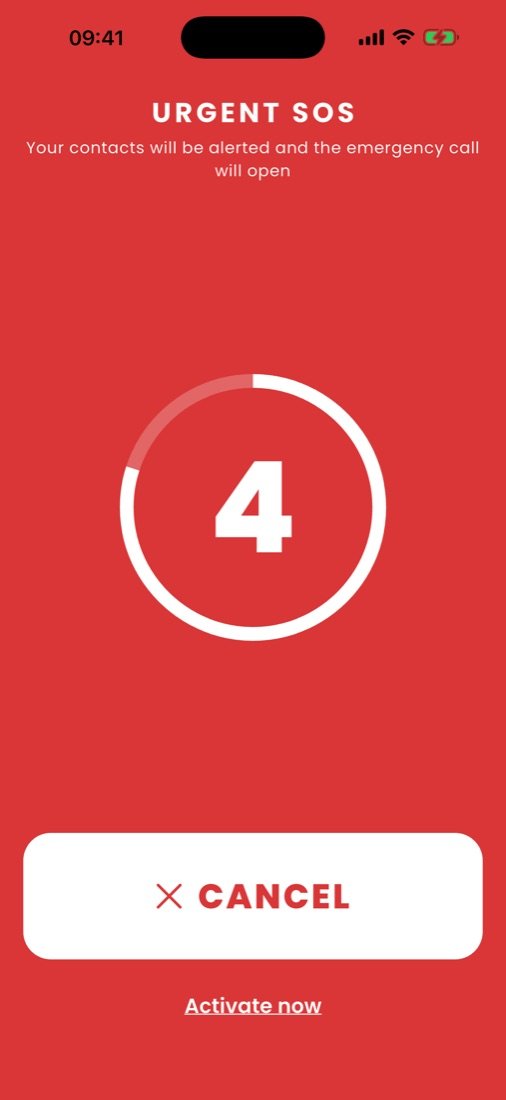
A countdown starts. If it was a mistake, cancel it with one tap.
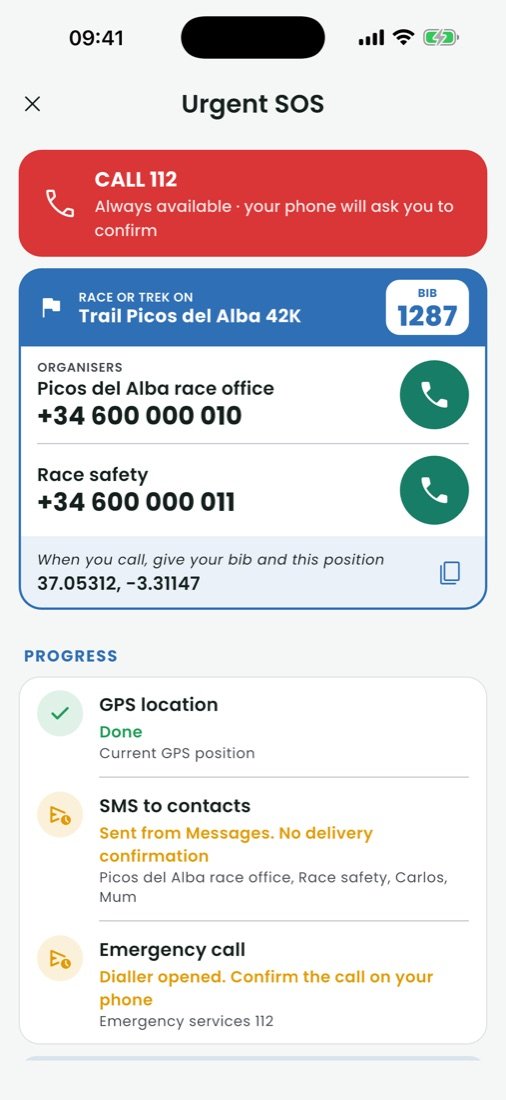
The app gets your GPS fix and opens an SMS with your location, coordinates and map. You tap Send.
Then it opens the dialler with your country’s emergency number. You confirm the call.
Honest status. The app tells you exactly what has been done and what is left. If you leave the app during an SOS, nothing opens until you come back, and a notification reminds you.
Designed with trail runners, mountaineers and rescue teams in mind.
Blood type, allergies, medication, ongoing pregnancy and organ donor status, with an emergency view for medics. Exportable as PDF.
Your race, your bib and the organiser and safety numbers, one tap away. Temporary contacts that can delete themselves.
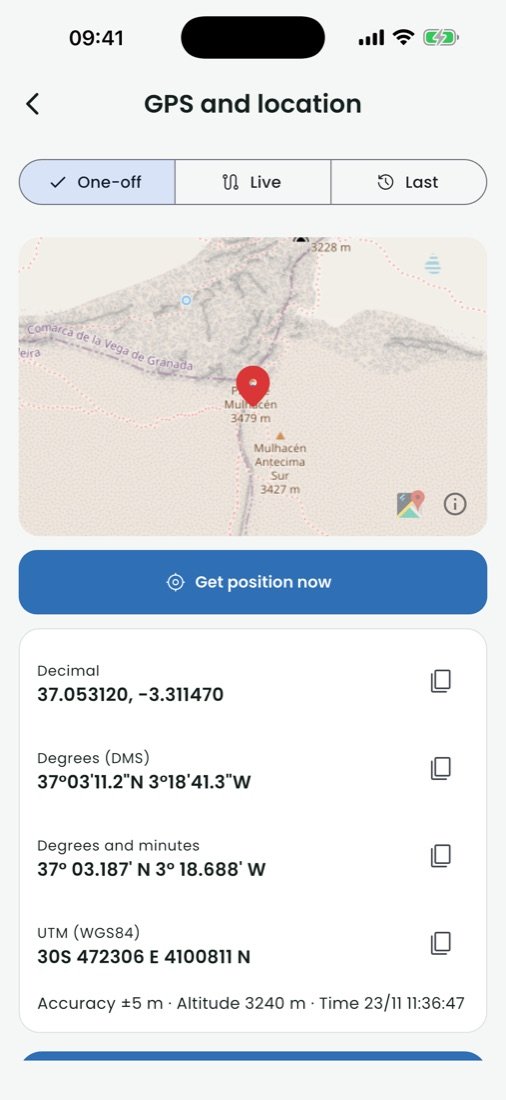
Decimal coordinates, degrees, UTM and altitude. Share your position without starting an emergency.
Card, contacts, emergency numbers by country, first aid and coordinates, without internet.
On iPhone, SOS on the Home Screen and Lock Screen, quick actions, medical card and race. On Android, the race or trek widget.
Practise the whole SOS without calling or sending anything. Great for showing your group.
Big buttons, readable text and nothing to distract you.
Not even we can see your card.
No. It opens the SMS with your location and you tap Send; then it opens the dialler and you confirm the call. It never claims something was sent unless it can confirm it.
Your card, contacts, emergency numbers, first aid guide and GPS coordinates work without internet. Sending SMS and calling require mobile coverage.
Only on your phone, encrypted. It leaves your phone only when you send an alert or export your card.
Turn on Settings › Simulation mode and go through the whole SOS without calling or sending anything.
The SMS and the call won’t open until you come back. The app reminds you with an “SOS not finished” notification.
Yes. You can leave a voluntary tip in Settings to support the project; it unlocks nothing.
 Download
Free for iPhone and Android. Set it up at home: contacts, medical card and emergency numbers.
Email us and include your phone model and the app version (Settings › About Social Trail SOS).
contacto@socialtrail.esSocial Trail SOS helps you ask for help, but it does not replace emergency services. In a serious emergency, call 112.